PowerShell 安装 oh-my-posh

Oh My Posh 是一个跨平台的终端定制工具,它可以增强 PowerShell 等终端的视觉效果。它提供丰富的主题和样式,使命终端更加个性化且信息丰富。

Oh My Posh 以其高度的可定制性和低延迟著称,支持 Windows、Linux 和 macOS 等多个操作系统。

文章所有的步骤都需要在 PowerShell 7 中进行。如果你没有安装 PowerShell 7,请使用以下命令安装。

1
winget install --id Microsoft.PowerShell --source winget

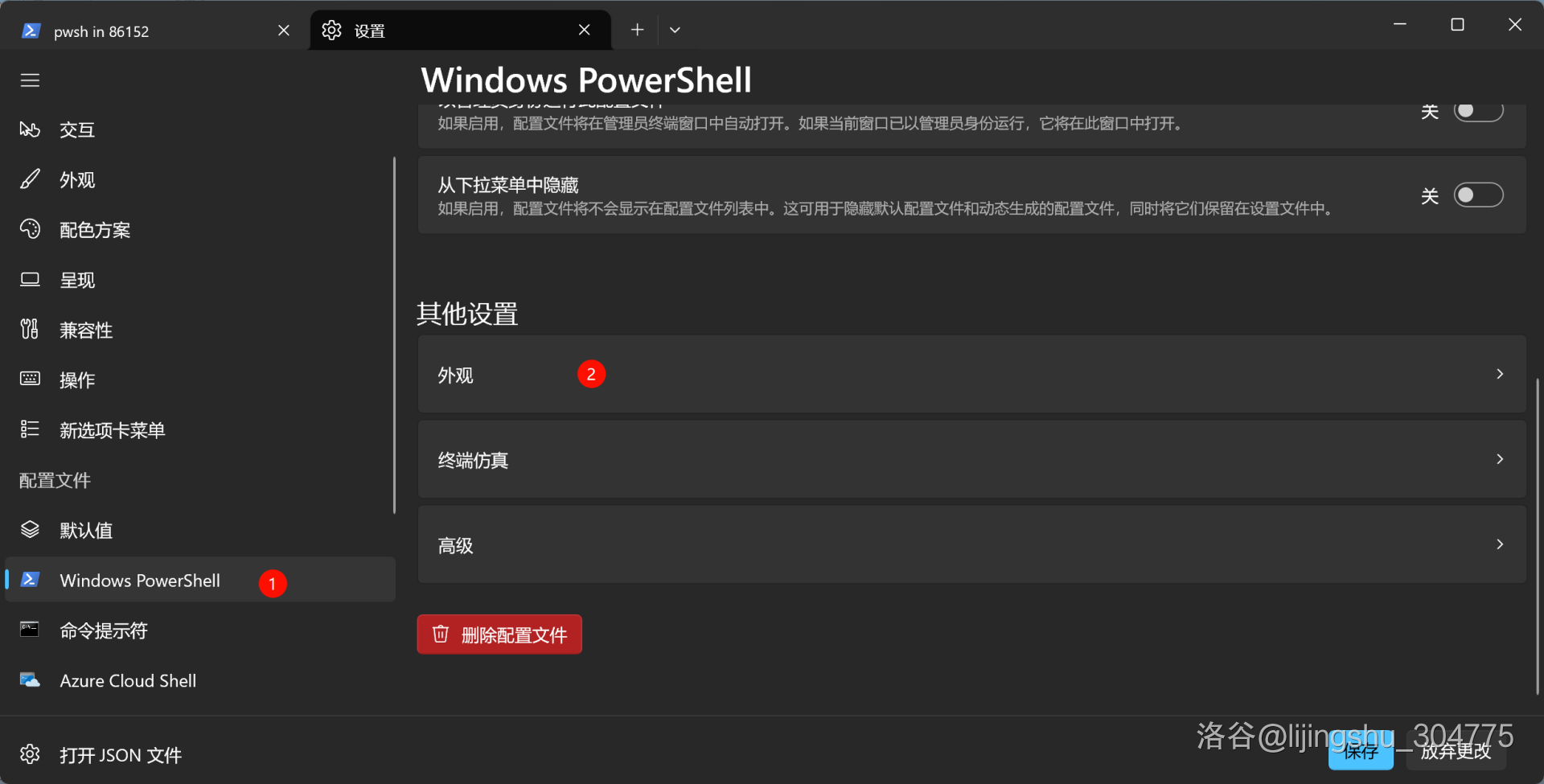
然后在 Windows Terminal 中设置启动项,将默认的 Windows PowerShell 改为 PowerShell。

下面的图片除了最后一张都不太严谨,因为那是在原版 Windows PowerShell 中进行的。

字体安装

安装 Nerd font 字体:https://www.nerdfonts.com/font-downloads

将压缩包下下来之后解压,安装里面的所有字体。

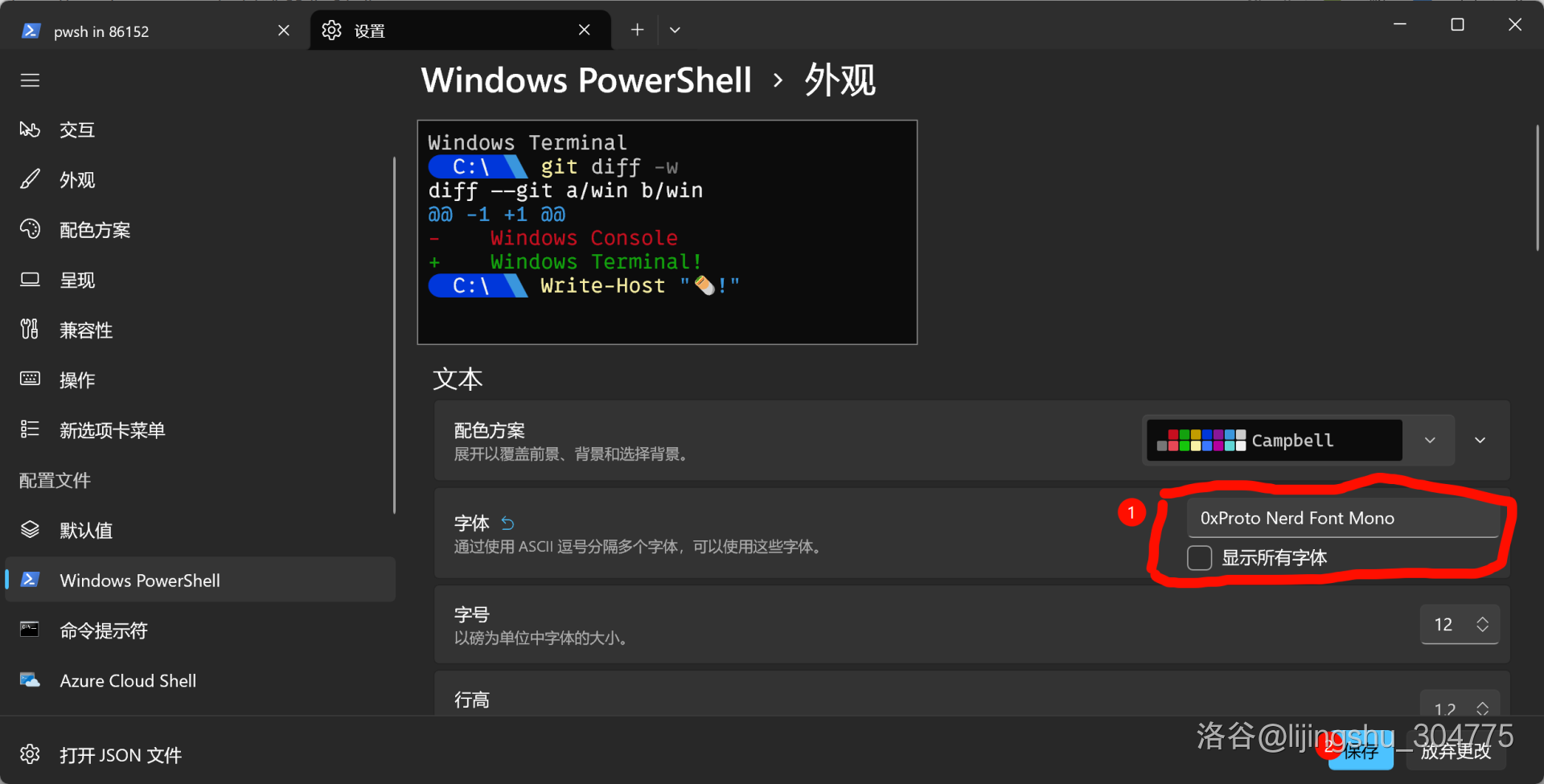
然后在 Windows Terminal 中设置字体,打开 PowerShell,参照下图更改字体。
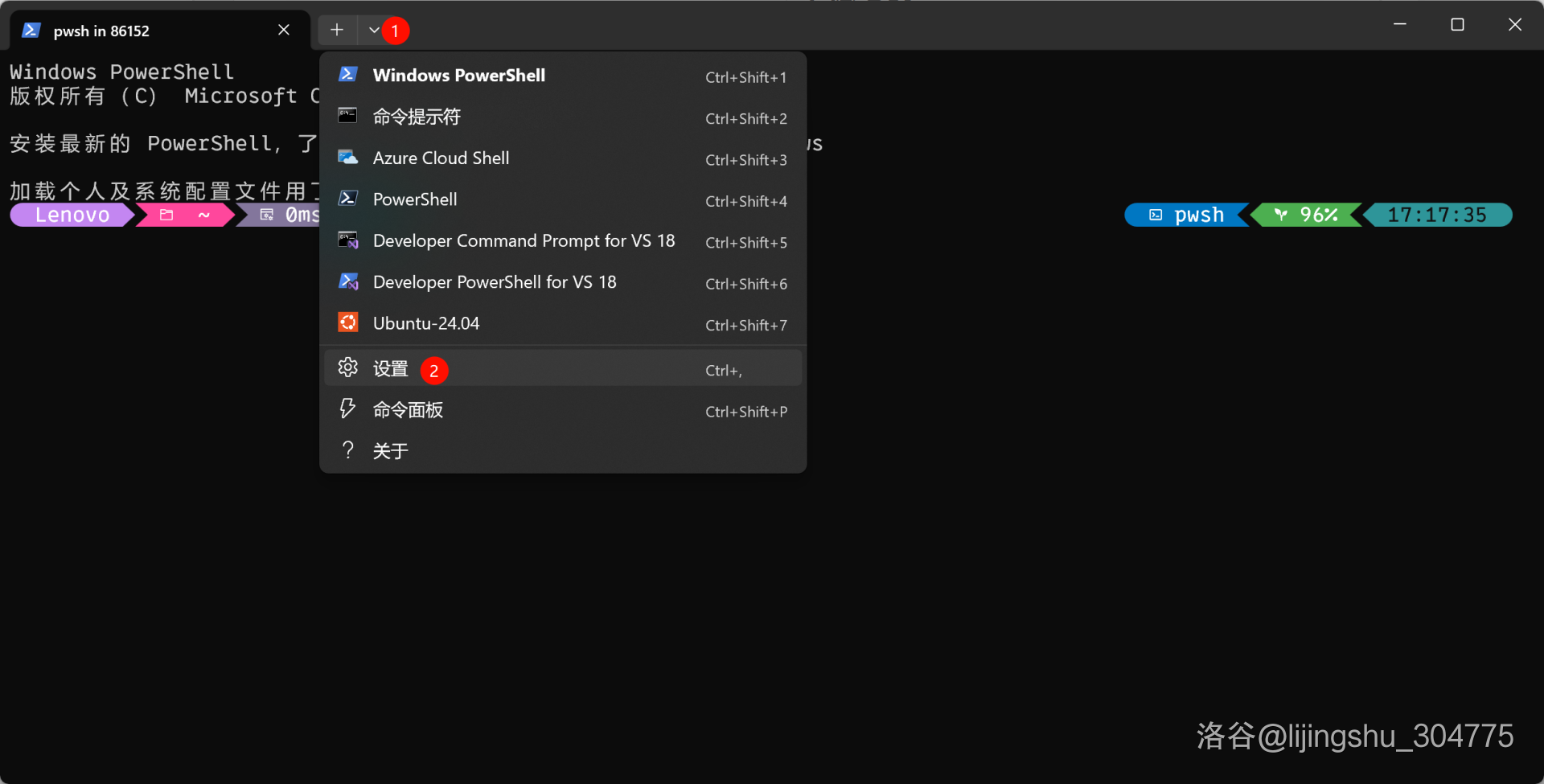
上图序号一应该是标在 PowerShell 上的。这里标的是 Windows PowerShell。
安装 PowerShellGet

以系统管理员权限打开 PowerShell 终端,执行以下命令:

1
Install-Module -Name PowerShellGet -Force

安装 oh-my-posh

以系统管理员权限打开 PowerShell 终端,执行以下命令:

1
winget install JanDeDobbeleer.OhMyPosh -s winget

安装 posh-git

以系统管理员权限打开 PowerShell 终端,执行以下命令:

1
PowerShellGet\Install-Module posh-git -Scope CurrentUser -Force

安装 PSReadLine

以系统管理员权限打开 PowerShell 终端,执行以下命令:

1
Install-Module PSReadLine -Force

编辑 oh-my-posh 配置文件

以系统管理员权限打开 PowerShell 终端,执行以下命令:

1
2
3
4
5
6
7
$localThemePath = "C:\Users\admin\.oh-my-posh\themes"

New-Item -Path $localThemePath -ItemType Directory -Force

Invoke-WebRequest -Uri "https://raw.githubusercontent.com/JanDeDobbeleer/oh-my-posh/main/themes/jandedobbeleer.omp.json" -OutFile (Join-Path $localThemePath "jandedobbeleer.omp.json")

Test-Path (Join-Path $localThemePath "jandedobbeleer.omp.json") # 返回 True 即成功

然后输入:

1
2
3
4
5
if (-not (Test-Path $PROFILE)) {
New-Item -Path $PROFILE -Type File -Force
}

notepad $PROFILE

会打开一个文件,在文件中写入:

1
2
$localThemePath = "C:\Users\admin\.oh-my-posh\themes"
oh-my-posh init pwsh --config "$localThemePath/jandedobbeleer.omp.json" | Invoke-Expression

再以系统管理员权限打开 PowerShell 终端,执行以下命令:

1
2
3
4
5
6
7
Set-PSReadLineKeyHandler -Key Tab -Function MenuComplete

Set-PSReadlineKeyHandler -Key UpArrow -Function HistorySearchBackward

Set-PSReadlineKeyHandler -Key DownArrow -Function HistorySearchForward

Import-Module posh-git

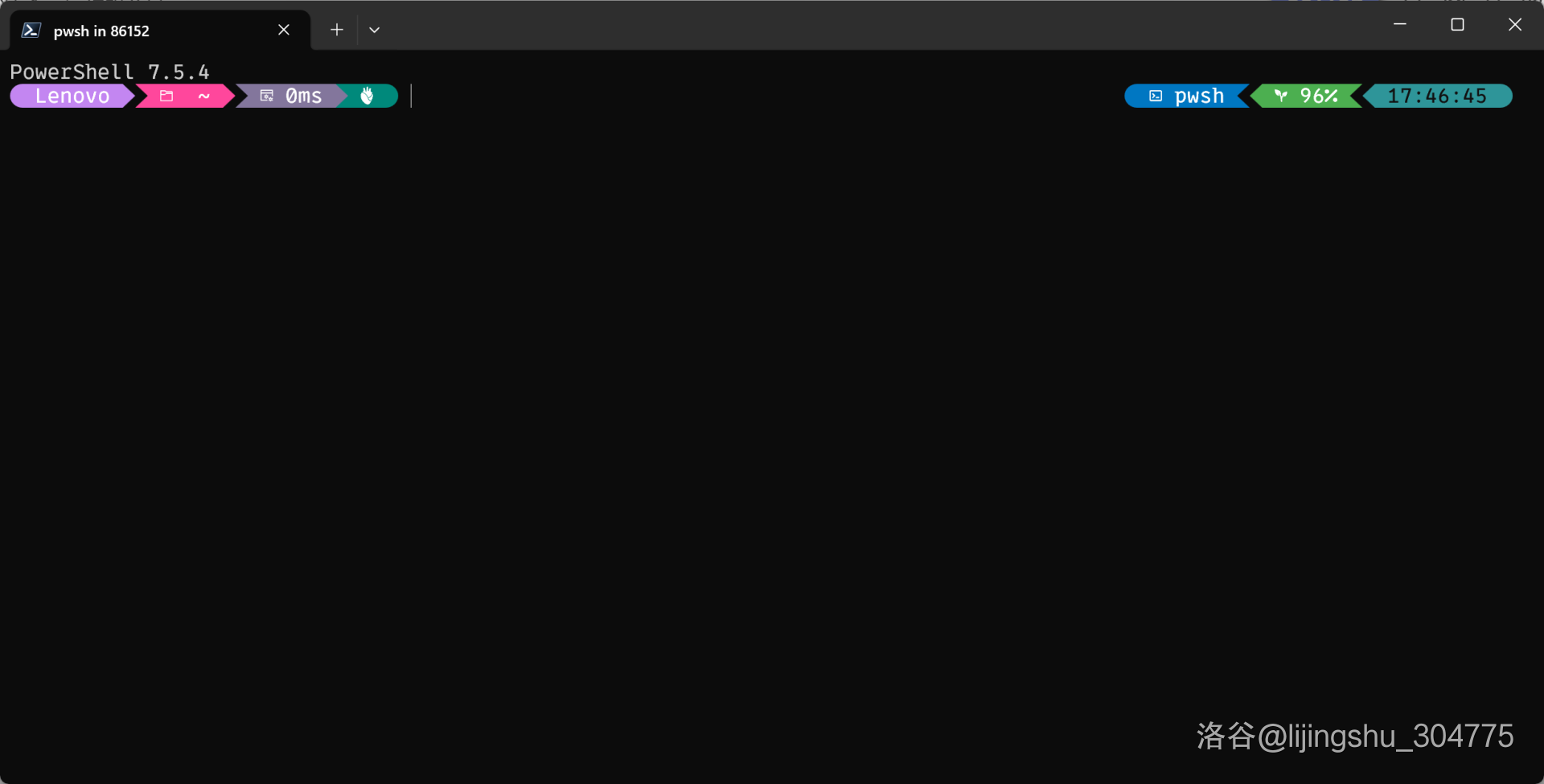
保存修改,重新打开一个新的 PowerShell 终端,将会看到以下效果:


PowerShell 安装 oh-my-posh
https://lijingshu2014.github.io/2025/12/20/PowerShell-安装-oh-my-posh/
作者
lijingshu
发布于
2025年12月20日
许可协议